Choose Which Site You Want To See




Its programs include tools for editing footage, making songs, creating slideshows and organising media libraries.
The products cover video and photo slideshows, music libraries, audio editing and visual effects. There are also learning resources, technical support and a community for creators.
The software range includes tools for editing footage, making songs and beats, organising photographs and managing music libraries. Alongside the main programs, the site lists effects, audio content and other add-ons.
Different software editions contain different combinations of tools and content. Trial versions are also listed, while educational software solutions are offered for students, educators and academic institutions.
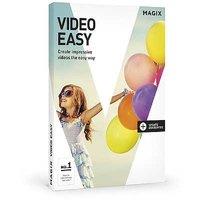
Video editing software includes storyboard and timeline modes, editing templates, transitions and colour-grading tools. Features shown across the range include chroma key, screen recording and multicamera editing. Some tools can create voiceovers from text and subtitles from speech, including offline options. Advanced editing features include nested sequences, keyframe controls and support for RAW images.
Video editors also include audio tools for adjusting tracks, reducing noise and working with multichannel sound. Depending on the edition, extras include title animations, visual effects, music content and tools for removing objects from footage.
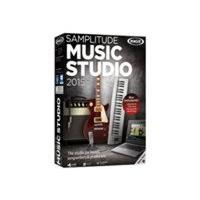
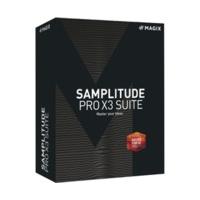
Music production software lets users create songs and beats with loops, virtual instruments and a drag-and-drop workflow. The tools include audio recording, MIDI editing, effects and mastering controls. The software offers loop browsing, genre filtering and pitch controls, while beat-making tools allow users to upload custom drum kits. Different editions include different selections of sound libraries, instruments and effects.
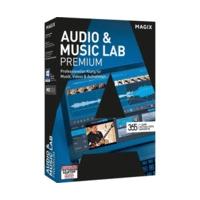
Music management software can organise digital audio, create playlists and play internet radio. It also offers audio conversion, including conversion from WAV to MP3 or AAC. Other features include finding duplicate tracks, editing and cutting audio, and designing CD covers. Playlists can be transferred to compatible smartphones and tablets.
Slideshow software combines photographs and videos with titles, transitions, music and sound effects. Image tools include colour adjustment, cropping, filters and customisable effects. Animated travel routes can be added using maps, and motion tracking can attach text, graphics or effects to moving objects. One edition adds photo and video organisation tools.
Photo management software supports sorting and archiving photos and videos, with imports from cameras, scanners and cloud services. Virtual albums can contain the same picture in more than one album, and metadata can be used to search images. Editing options include brightness and colour adjustment, red-eye correction, perspective correction and panorama creation. The software also offers backup copies and image database recovery.
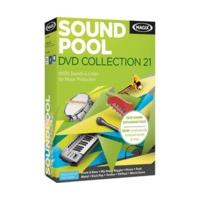
Creative content includes music tracks, loops, sound effects and video clips. Production music spans genres and themes including pop, jazz, classical, cinematic and electronic music. Video plug-ins and extras include effects, transitions, title templates, colour presets and footage correction tools. The site also lists an online store for creative content and plug-ins.
Supplementary programs include PC tools and gaming software. The gaming software offers system monitoring and screen capture. The additional range also includes video filters, animations and other effects.
Browse the full range on the Magix Multimedia Software website.
Brands named alongside software, content or plug-ins include MAGIX, proDAD, Image Sounds, iZotope and Storyblocks.
The site offers an account, a download centre and a selection of languages. It also provides manuals, video tutorials, music production guides and video editing tips.
There is a knowledge base and a community where creators can ask questions and share projects and ideas. Some video software also has an in-app store for effects, audio content and add-ons.
Technical support is available for the software. The merchant also offers software solutions for education and lists trial versions of its programs.
Some video and slideshow tools include searchable media libraries, custom tags and face recognition.
Features shown include timeline editing, transitions, colour grading and audio adjustment. Some editions add tools for object removal and animated titles.
Video editing software can convert text into voiceovers and speech into subtitles, while slideshow software also offers automatic voiceovers and subtitles. Offline voiceover and subtitle tools are also described for video editing software.
The music production software includes loops, virtual instruments, audio recording and MIDI editing. It also offers effects and tools for arranging tracks.
Yes. It supports audio conversion, including conversion from WAV to MP3 or AAC.
Yes, the slideshow software supports both photographs and videos. It also offers titles, transitions, music and sound effects.
Yes, it can import media directly from a camera or scanner. It also supports importing images from cloud services.
The site provides tutorials, manuals and guides for video editing and music production. A community also lets creators share projects and ask questions.
Shoppers can explore different editions alongside tutorials, technical support and supplementary plug-ins.
Ready to shop? See the full range on the Magix Multimedia Software website.
This guide was written by AI. It does not represent the views or opinions of the website owner.
Updated November 2026
 Avanquest
 Autodesk
 Video Scribe From Sparkol
 Skylum
 A Shampoo
 Corel Store
 Adobe
 Serif Europe
 DxO
 ACD Systems
 Pixel Drops
 Cyberlink