Choose Which Site You Want To See




Webex is a communication and collaboration platform offering video meetings, messaging, and related tools for individuals and organisations.
It provides features designed to support remote and hybrid work, with options that may suit teams seeking structured meeting functions and integrated communication. The platform includes capabilities for screen sharing and group interaction, and may appeal to users who prefer a unified space for online discussions and project coordination. Its range of settings allows different working styles to configure sessions to their needs, while its focus on clarity and consistency aims to create a predictable workspace for routine communication.
Webex is a long‑established provider of video conferencing and digital collaboration tools. It forms part of Cisco’s broader communications ecosystem and is recognised for supporting virtual meetings, hybrid work environments, and real‑time collaboration. The platform is widely used by organisations of varying sizes, from small teams to large enterprises, and it offers a structured set of tools intended to streamline communication across locations and devices.
As a platform focused on remote connectivity, Webex positions itself within the unified communications and collaboration software category. It typically appeals to users who value clarity, reliability, and consistency in online meetings. Its offering spans video meetings, calling solutions, messaging, webinars, and additional productivity features. While not the only provider in this competitive space, Webex generally aligns with a mid‑market to enterprise positioning due to its emphasis on operational stability, integration options, and support structures.
The service has evolved over the years, reflecting changing patterns in remote and hybrid work. Its tools are designed to reduce complexity by centralising communication functions. Instead of multiple disconnected apps, users can manage meetings, messages, calls, and virtual events within a single environment. This integrated approach makes Webex one of the more comprehensive communication platforms available, though the exact experience varies depending on organisational configuration and user familiarity with collaboration software.
Readers exploring a Webex review are often evaluating whether the platform’s range of features, level of structure, and usability align with their work habits or organisational needs. This overview sets out what Webex offers, how it positions itself, and what prospective users can expect when considering the platform.
Browse the full range on the Webex website.
The meetings feature provides video conferencing tools for individuals and teams. It includes video, audio, screen sharing, and meeting controls. The experience is designed to support routine check‑ins, formal presentations, and collaborative sessions, aligning with Webex’s focus on structured communication.
Webex messaging functions as an internal communication channel. Users can create threads, share files, and collaborate within teams. This messaging environment supports continuous conversation and reduces reliance on external chat applications, reflecting the platform’s integrated positioning.
The calling tools offer cloud‑based voice calling suitable for organisations replacing or supplementing traditional phone systems. Features may include call routing, voicemail, and device flexibility, offering users a consolidated communication setup.
Webex provides webinar hosting capabilities for structured virtual events. These tools support presentations, audience engagement, and controlled participation, appealing to businesses and educators who host informational sessions or demonstrations.
Events solutions extend beyond webinars to support larger or more complex virtual gatherings. These tools are designed for conferences or multi‑track sessions and can be used by organisations seeking predictable event formats.
Webex includes shared spaces, file storage, and collaborative tools that help users work together asynchronously or in real time. These tools are designed to complement meetings and messaging by providing continuity across projects.
The platform integrates with wider productivity suites and workplace tools. Integrations support the platform’s goal of fitting within varied organisational environments without requiring major changes to existing workflows.
Webex supports dedicated hardware such as meeting room devices, cameras, and speakerphones. These tools aim to improve clarity and consistency in hybrid work settings where some participants join from shared spaces.
Webex approaches collaboration through consistency and integrated functionality. Its development reflects the increasing need for stable virtual communication environments. Rather than offering a single tool, it positions itself as an ecosystem designed to support varied communication tasks under one umbrella.
The platform’s operating model centres on reliability, interoperability, and organisational support. This is visible in features such as managed user roles, meeting security settings, and administrative controls. Its values emphasise clarity and predictable interaction patterns, which can be important for teams working across time zones or departments.
Within the broader market, Webex is viewed as a structured option in the unified communications landscape. Its positioning tends toward professional and enterprise environments, although individual users and smaller teams can also access its tools when seeking integrated communication platforms.
The user experience of Webex generally prioritises structured navigation. The platform brings together meetings, messaging, calls, and collaboration spaces in a single interface, reducing the need to move between applications. This can benefit users who prefer consistent layouts and centralised controls.
Information is presented through clear menus and organised dashboards. Meeting controls are typically straightforward, offering adjustments for audio, video, and content sharing. Webex’s attention to accessibility can also help users who rely on features such as captions or device switching.
Users exploring Webex for the first time may find that it functions best when integrated into a broader workflow. Its strengths are most apparent when teams adopt multiple features, such as combining meetings with messaging, file sharing, and task coordination.
Webex is known for its suite of video conferencing and collaboration tools. It brings together meetings, messaging, calling, and webinars, offering users a structured communication platform.
Webex operates as a unified communications platform. Users access its tools via apps or browsers, and organisations can manage roles, device settings, and integrations to create a consistent experience.
Webex is commonly used by teams, organisations, and individuals who participate in regular virtual meetings or require ongoing collaboration. It is also chosen by groups managing hybrid work arrangements.
Webex can be suitable for hybrid work when users need cross‑device access and reliable meeting tools. Its features aim to support collaboration between on‑site and remote participants.
Webex sits within a competitive market of video conferencing and collaboration platforms. It generally distinguishes itself through its integrated approach and alignment with structured organisational use.
Users may benefit from understanding that Webex is most effective as an integrated platform. Exploring its meetings, messaging, and calling tools together provides a clearer sense of how the ecosystem functions.
Webex has developed into a comprehensive communication platform offering video meetings, messaging, calling, webinars, and collaboration features. Its long-standing presence in the communications technology space contributes to its recognition, and it frequently appeals to users who prioritise structured digital interaction. The platform’s combination of core tools provides a multifaceted environment suitable for teams working across locations and devices.
Its approach is grounded in reliability, consistency, and organisational support. These qualities position Webex as a strong option for those who want an integrated system rather than separate meeting or chat applications. While the experience depends on user setup and organisational needs, the platform is designed to be predictable and manageable, with features that support everyday communication.
For readers considering Webex, this overview highlights its core strengths, typical use cases, and the environment it aims to provide. Its role within the broader market reflects an emphasis on dependable digital collaboration and clear communication structures, making it a platform that aligns with varied yet structured professional requirements.
Ready to shop? See the full range on the Webex website.
This guide was written by AI. It does not represent the views or opinions of the website owner.
Updated October 2026
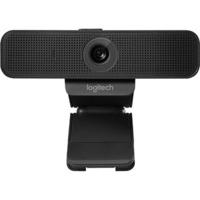
Logitech C925e: HD Webcam, Conference Camera / HD Resolution (Pixel): Full HD / Interface: USB / USB Version: USB 2 / Special Feature:...
 Planet Numbers
 Vonage
 Pop Telecom
 eFax International
 Skype
 Acefone
 Clocom
 Powwownow
 4com
 Comms Warehouse
 TalkTalk - Business Broadband